Web-service + CRM
B2B marketplace for selling and purchasing tickets to global events (concerts, sporting events, etc.). The platform includes customer-facing flows, seller tools, internal CRM, and communication features, all evolving in a fast-paced product environment.
Industry
Entertainment
Platform
Web, Mobile

My role and key responsibilities


My role:
UX/UI Designer (Product-focused)
Collaboration:
Product Manager, Business Analysts, Lead UX Designer, Developers
Scope:
Buyer & Seller flows, Event map interactions, Messaging features, Internal CRM redesign, Design System
While high-level product goals and requirements were defined by Product Managers and Business Analysts, my responsibility was to:
Translate product requirements into user-centered solutions
Identify UX risks and inconsistencies within existing flows
Improve usability, clarity, and scalability of complex interfaces
Design end-to-end user flows and reusable UI patterns
Build design system that support long-term product growth
Key UX Challenges & Solutions for the
Ticketing Marketplace
Challenge 1: Fragmented and inconsistent user flows
Critical user journeys (Sign In / Sign Up, Checkout) were growing organically and became inconsistent, harder to scale, and less intuitive across different entry points.
Impact
More consistent and intuitive first-time user experience
Made the flows easier to update and improve in the future
Solution
Redesigned Sign In / Sign Up, Checkout flows with clear logic and predictable user states
Unified interaction and visual patterns across all authentication entry points
Improved error handling and validation feedback

Checkout Flow

Challenge 2: Event Page & Ticket Selection Optimization
Users struggled to identify the exact seat location on the event map based on ticket offers. The relationship between ticket prices and their physical placement was unclear, making it difficult to evaluate and compare options.
As a result, users had to mentally map ticket details to the seating layout, increasing cognitive load and slowing down decision-making during the purchase process.
Impact
25% increase in conversion rate across the ticket selection and purchase flow.
Smoother and more intuitive ticket purchase experience.
Solution
Optimized event page layout to support a smoother ticket selection and purchase flow.
Designed a seamless transition between the ticket selection view and the purchase step, reducing context loss and unnecessary page switches.
Reorganized ticket offer cards to improve scannability, price comparison, and decision-making.
Redesigned filtering logic and UI to help users quickly narrow down relevant ticket options based on their preferences.
Ensured all critical information required for ticket selection and purchase is accessible within a single, cohesive flow.
Key UX Challenges & Solutions for the
CRM system
Challenge 1: Difficulty finding relevant data in data-heavy interfaces.
The internal CRM suffered from visual and structural inconsistency, overloaded screens, and unclear hierarchy. As a result, users struggled to quickly locate relevant data and understand relationships between entities.
Solution
Reduced data overload by restructuring layouts and grouping related information.
Introduced consistent patterns for presenting complex datasets.
Impact
Improved information findability and reduced task completion time by streamlining the visual flow. Users reported a more intuitive navigation experience, leading to a significant decrease in cognitive load and operational errors.


Challenge 2: Complex and inefficient navigation in multi-layer workflows.
Navigation within the CRM, especially inside large and nested modals, was hard to follow and increased cognitive load during everyday tasks.
Solution
Improved modal structure and interaction patterns for complex actions.
Reduced unnecessary steps within frequent admin workflows.
Scalable Design System for a
Growing CRM
Scope
Built a dedicated CRM design system from scratch, tailored to data-heavy internal workflows.
Structured the system using an atomic design approach, making components easier to maintain, reuse, and evolve.
Defined clear rules for components, states, spacing, typography, and interaction patterns.
Closely aligned design decisions with real product constraints and developer workflows.
Result
Improved UX consistency across all internal CRM tools.
Introduced consistent patterns for presenting complex datasets.
Faster and more predictable design and development cycles.
Scalable and maintainable foundation that supports adding new features without breaking consistency or usability.
Atomic
design
principles
Atom
Molecules
Organisms
Templates
Pages


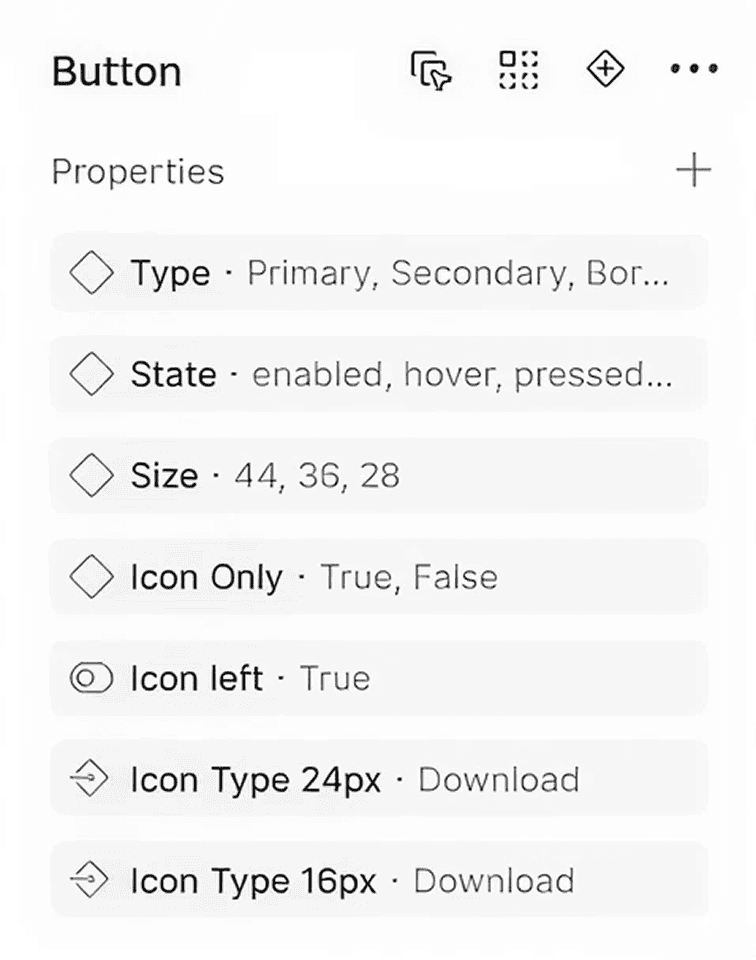
Buttons
A comprehensive, production-ready button component built with Figma Variables and Atomic Design principles.
Multi-purpose Types: Primary, Accent, Error, and Success styles for clear semantic communication.
Visual Variants: Filled, Outlined, and Text (Ghost) styles to maintain UI hierarchy.
Dynamic Configurations: Optimized with Boolean properties for "Text-only," "Icon-only," or combined layouts.
Responsive Sizes: Three distinct scale options (48px, 32px, 24px) to fit various screen densities.
Interactive States: Fully mapped states (Default, Hover, Pressed, Disabled) for a seamless user experience.
Content Control: Integrated Instance Swap for icons and Text Properties for rapid editing.



Fields
A robust and highly configurable input component designed for complex forms and seamless user data entry.
Comprehensive States: includes pre-defined variants for Default, Hover, Pressed, and focused interactions.
Contextual Elements: built-in support for optional Title (Label), Description (Helper text), and Error messages to provide clear user guidance.
Flexible Iconography: configurable left and right icon slots with integrated "Instance Swap" for rapid customization.
Smart Visibility: utilizes boolean properties to easily toggle decorative and informational elements (icons, labels, errors) on or off.
Developer-Ready: structured with consistent naming conventions and properties for easy handoff and implementation.
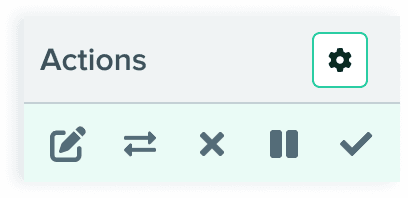
Tables






Conclusion
Web Service: The redesign directly influenced business growth within the first month, resulting in an 18% increase in new listings and a 25% rise in overall conversion rates. By streamlining the submission flow and enhancing search discoverability, the platform significantly improved user acquisition and engagement.
Internal CRM System: Strategic UX interventions optimized core operations, delivering a 23% reduction in Time on Task (ToT) through improved navigation. Enhanced filtering and moderation tools led to a higher Task Completion Rate (TCR) and a CSAT score of 4.3/5, demonstrating a substantial increase in team productivity and workspace satisfaction.